Field Operations & Verification
Disaster Damage Assessment
Rapid damage assessment after a typhoon or earthquake, filed offline with photographs and locations, and counted by area.
In the form library
- Rapid Damage Assessment
- Evacuation Center Inspection
- Emergency Operations Center Assessment
- Geohazard Site Assessment
- LGU DRRM Readiness Inspection
- Drill Observation
- Relief Stockpile and Warehouse Check
Starter forms you copy and edit. Your copy is yours.
The problem today
After a disaster the signal is down exactly when the assessments are needed. Paper forms come back days later and are tallied by hand, area by area.
With InspectPH
How it works
- Prepare before the seasonBuild your damage assessment form; the library's evacuation centre, emergency operations centre, geohazard and DRRM readiness forms cover the preparation side.
- Assess with no signalAssessments are completed offline on the phone, with photographs, and send themselves when a connection returns.
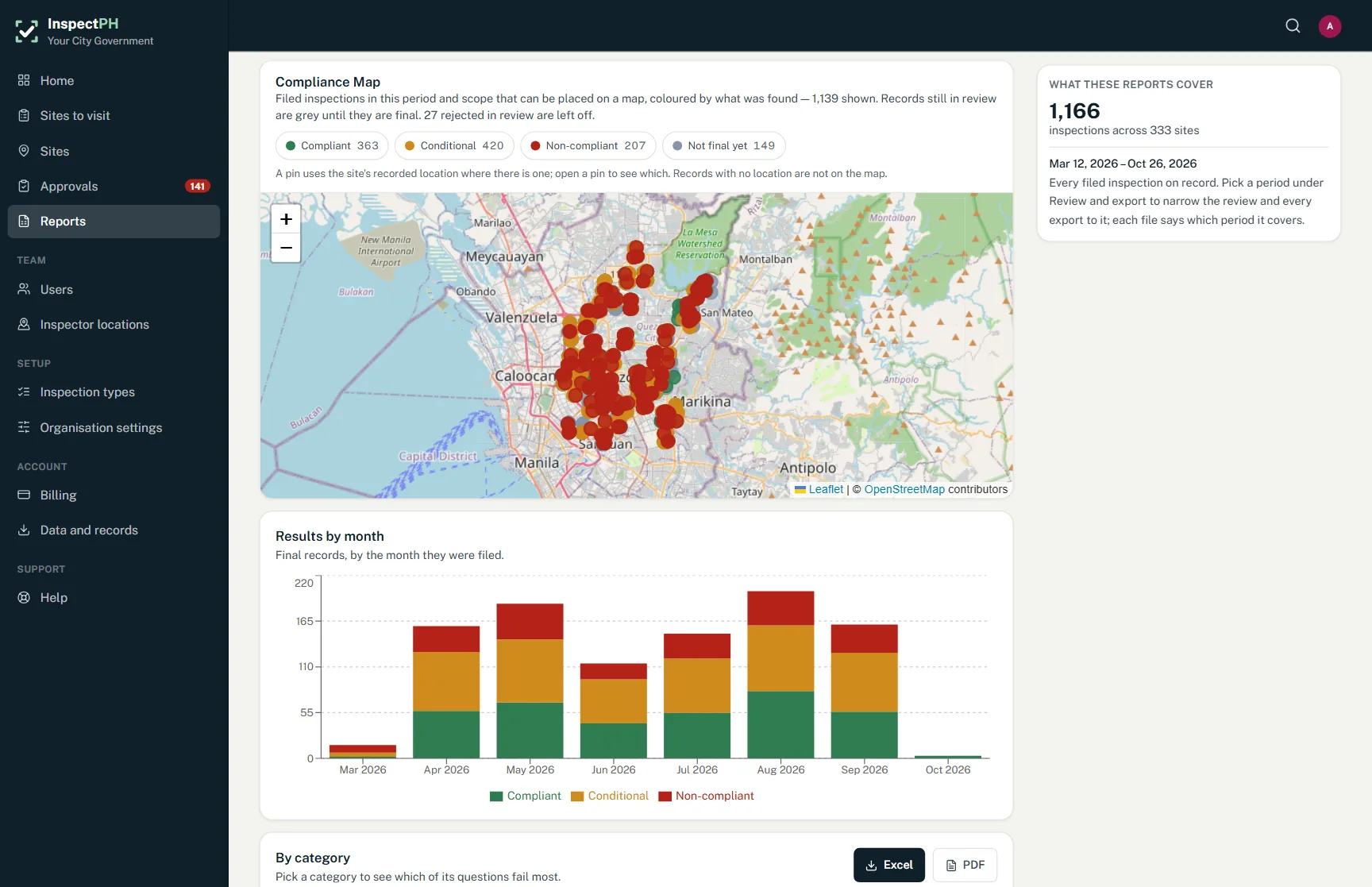
- Locate every assessmentEach record carries the phone's location, so assessments can be seen on the compliance map.
- Count by areaThe Areas view totals assessments by province, city and barangay as they arrive.
On the form
Typical checks
- Structure type
- Extent of damage
- Habitable or not
- Number of households affected
- Photographs of the damage
- Immediate needs
Examples. You add, remove and reword items in the form builder.
On the Reports page
What you can see
- Assessments by barangay as they come in
- Assessments on the map
- Evacuation centres and their readiness
Filtered by period, category and province, city or barangay, and exported to Excel or PDF.
Start small
Start with one office or one site.
Tell us what you inspect. We will call to confirm the details, set up your inspection types, your forms and your site list, and you run real inspections with it.
Or call +63 917 578 6060, and you will get a person, not a queue.