Audits, Programs & Accountability
Corrective Action & Reinspection
Follow findings to closure: return a record with what must be corrected, issue a notice, re-inspect on the same checklist and see what keeps failing.
In the form library
- Corrective Action Verification
Starter forms you copy and edit. Your copy is yours.
The problem today
Most inspection systems record that a deficiency was found. Far fewer can show that it was corrected, or that the same deficiency came back at the next inspection.
With InspectPH
How it works
- Return with a reasonA reviewer can return an inspection to the inspector with a written reason. It stays With inspector until it is corrected and sent again.
- Issue the items to addressOn approval, print a Notice of Inspection Result listing the items to be addressed.
- Re-inspect on the same checklistThe next inspection asks the same questions, so each item can be compared with the last.
- See repeat non-complianceThe Sites view lists sites non-compliant two or more times in a row, and Overdue lists those past their re-inspection date.
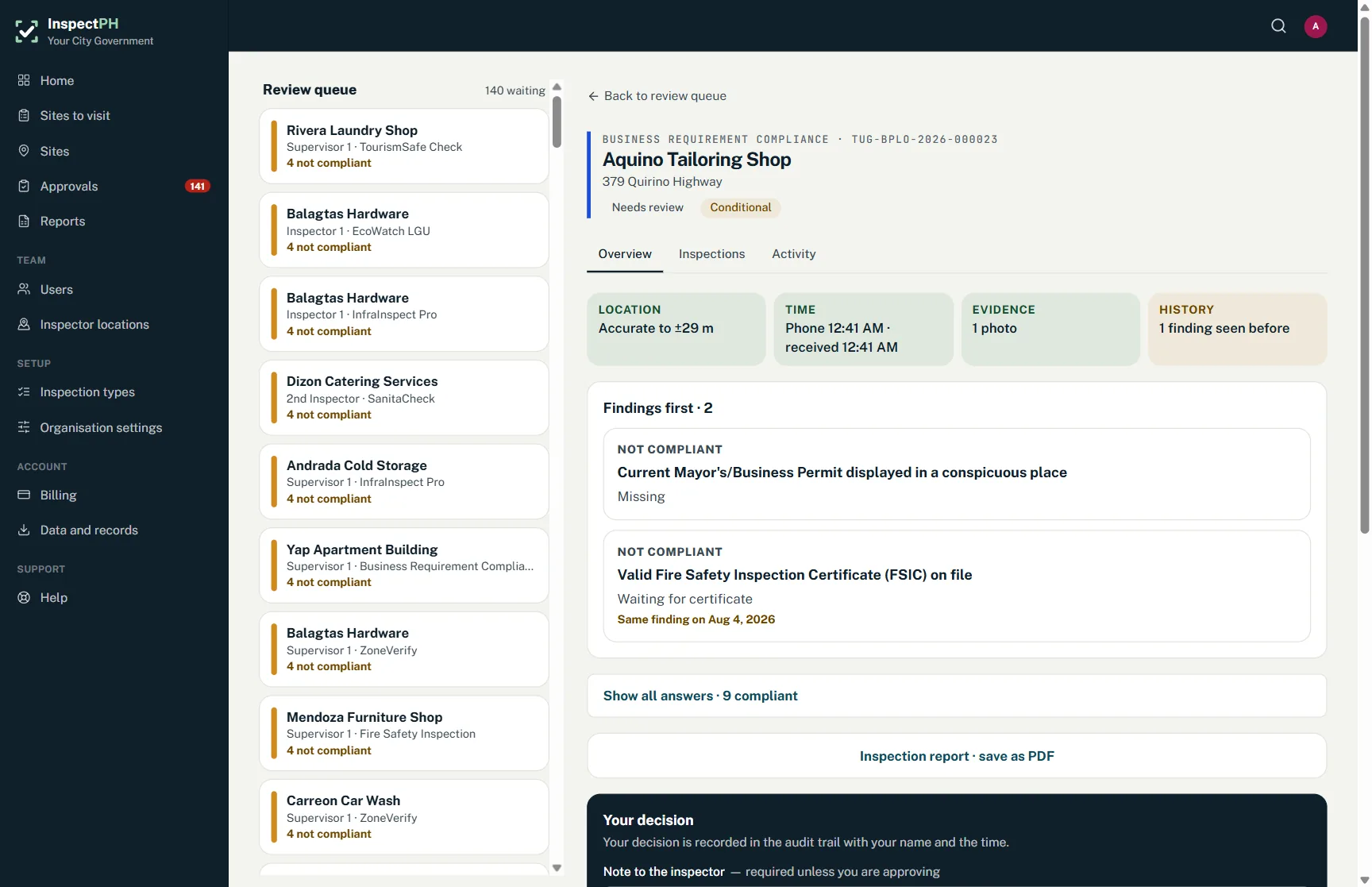
On the form
Typical checks
- Items to be addressed, listed
- Severity of each
- Photographs before and after
- Re-inspection on the same form
- Reviewer's decision each time
Examples. You add, remove and reword items in the form builder.
On the Reports page
What you can see
- Sites non-compliant two or more times in a row
- Records waiting with the inspector
- Sites overdue for re-inspection
Filtered by period, category and province, city or barangay, and exported to Excel or PDF.
Start small
Start with one office or one site.
Tell us what you inspect. We will call to confirm the details, set up your inspection types, your forms and your site list, and you run real inspections with it.
Or call +63 917 578 6060, and you will get a person, not a queue.